$319
Vertex 4K60 4:4:4 600MHz
| Vertex Kit includes:
|
 Vertex central unit
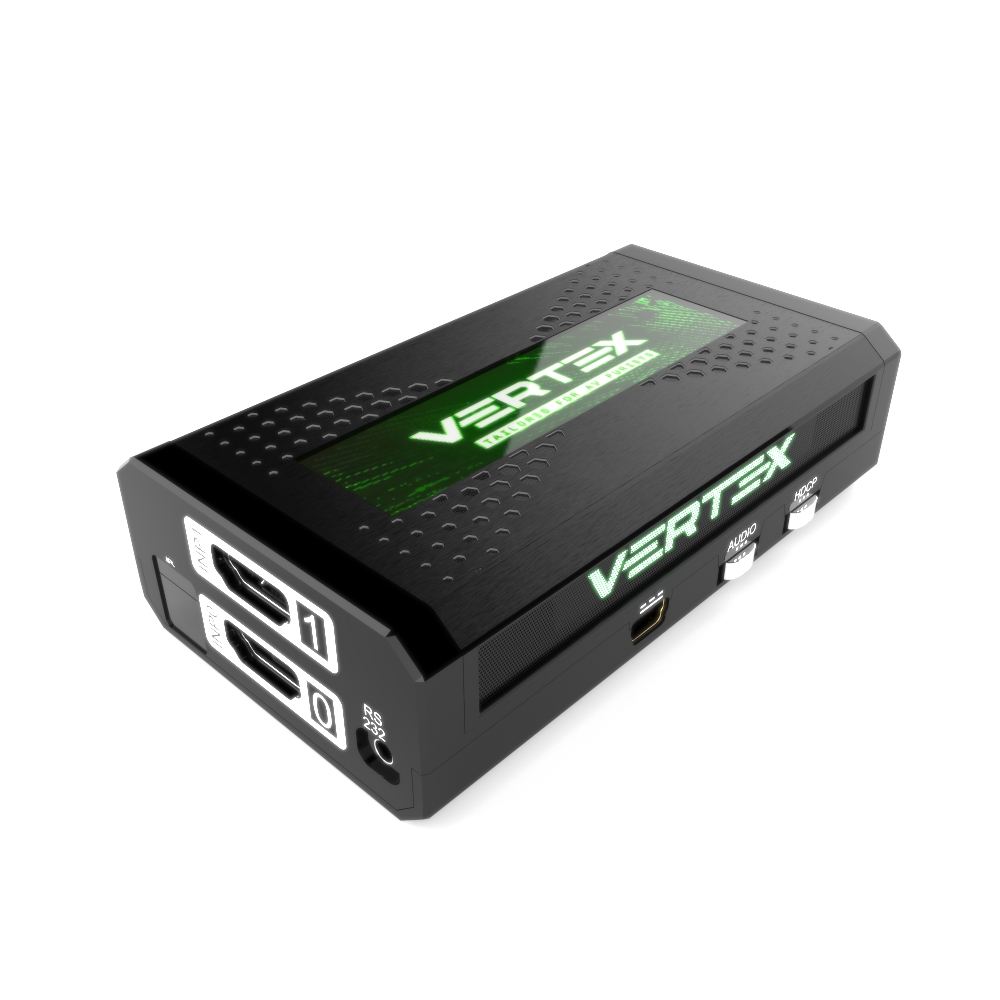
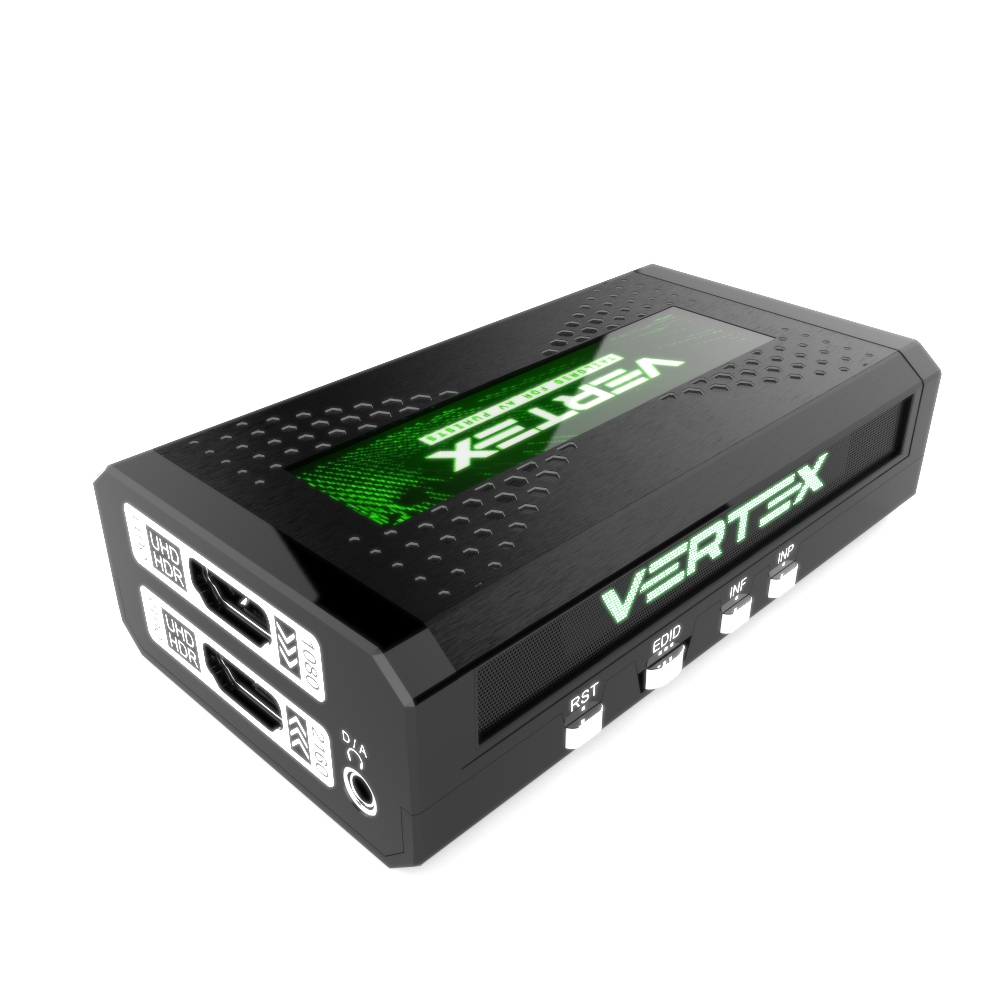
State of the art HDMI central for FHD source or sink in UHD/HDR setup or the other way around. Comes with OLED/OSD, huge scaling power and toolkit for researcher, content creator or advanced user.
Support any video and/or audio signal in existence today including DV, HLG, HDR10+, DTS:X, ATMOS and more…
Vertex allows any source (Blu-ray, UHD Blu-ray, media players, satellite receiver, game consoles, PCs, etc.) to be shown on any of the connected displays and any sources HDMI audio to be played on any AVR.
With built-in scalers you don’t have to miss any 4K HDR signal because of older legacy equipment in the signal path.
Below you can appreciate some of the OLED pages available:

Information
The 4K Digital Messiah that the AV World have been waiting for is finally a few clicks away from you.
After two years of collecting wishes and feedback from HT hobbyists and professional content creators, we are proud to bring you this exclusive HDfury 10th Anniversary edition that is set to shake the ground of the AV scene.
Vertex is a smart converter for interoperability between legacy equipment, for content creators, calibrators, streamers, digital entertainment centers, UHDTV retail, show sites, data centers, schools, conference or home cinema and much more.
It is a true 2×2 18Gbps HDMI matrix/spliter/switcher/scaler/converter/audio de-embedder, supporting any HDMI, any HDCP and any HDR up to HDR10+, HLG or Dolby Vision (including LLDV).
HDMI Audio is compatible with any format in existence today. HDMI2.1 features such as Auto Low Latency Mode and Variable Refresh Rate are supported for EDID signaling and source detection.
It provides full EDID management for an optimal handling of today’s wide variety of sources and displays and comes with OLED, OSD, IR, RS232 and stereo or optical audio output for ARC up to Atmos®, DD+®, Dolby® 7.1, DTS® and LPCM.
Offering more than all Linker scaling benefits and Integral splitting advantages combined, Vertex will push any setup to its highest state of work and provide you with relevant information and possible interaction.
Instantly get and feel the HDMI supervisor power through OSD, OLED, Windows GUI, RS232, iOS/Android APP (with GoBlue) and more…
Note that it have the best 18Gbps signal integrity ever seen for a 5v device, thus ensuring seamless integration even with marginal cables that would otherwise not work with others devices for high bandwidth signals.
It is more than an AV geek device, it is crafted with a lovely passion and tailored for AV purists.
Technical specs
| HDMI revision: | HDMI 2.0b (Level A) 600Mcsc – 18Gbps |
|---|---|
| Vertex Support: | 600MHz/18Gbps HDR, HDR10+, HLG, DV & LLDV, ARC, ALLM, IMAX |
| Max Resolution: | 4K60 4:4:4 8b, 4K60 4:2:2 12b, 4K120 4:2:0 8b or 8K30 4:2:0 8b |
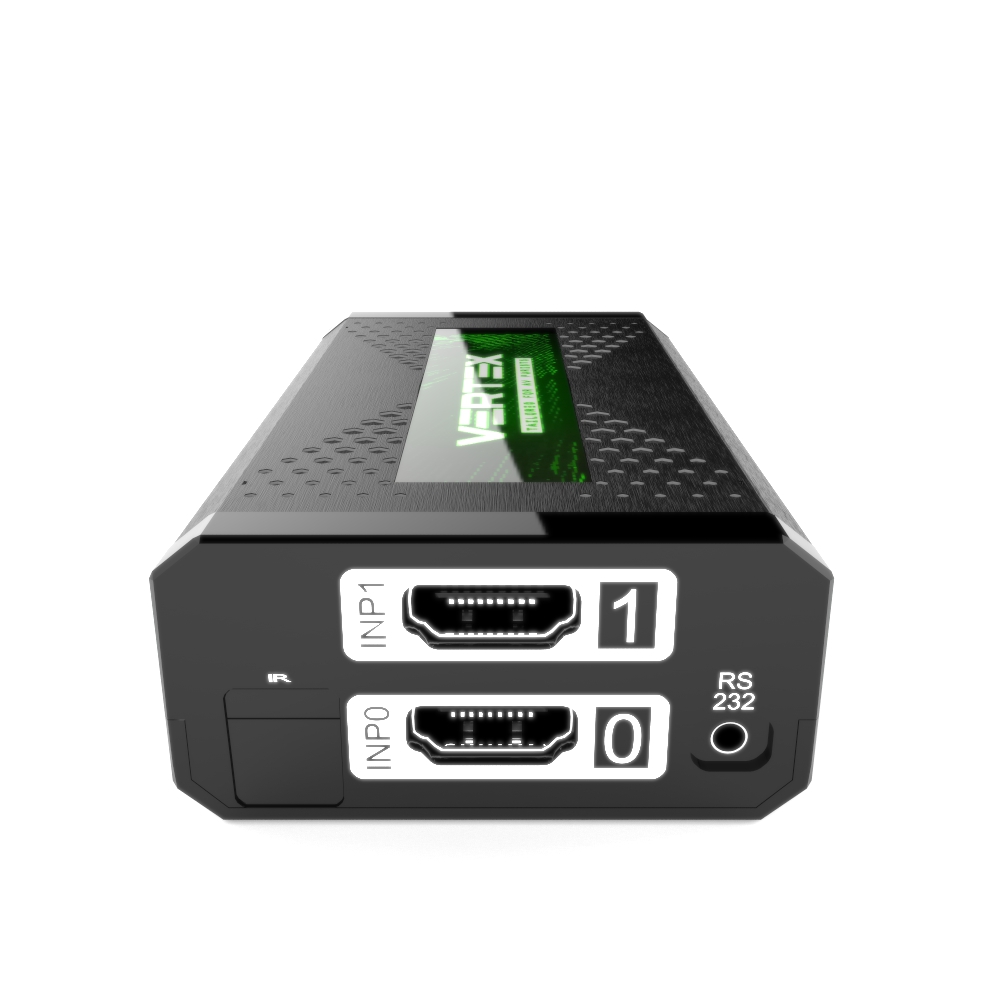
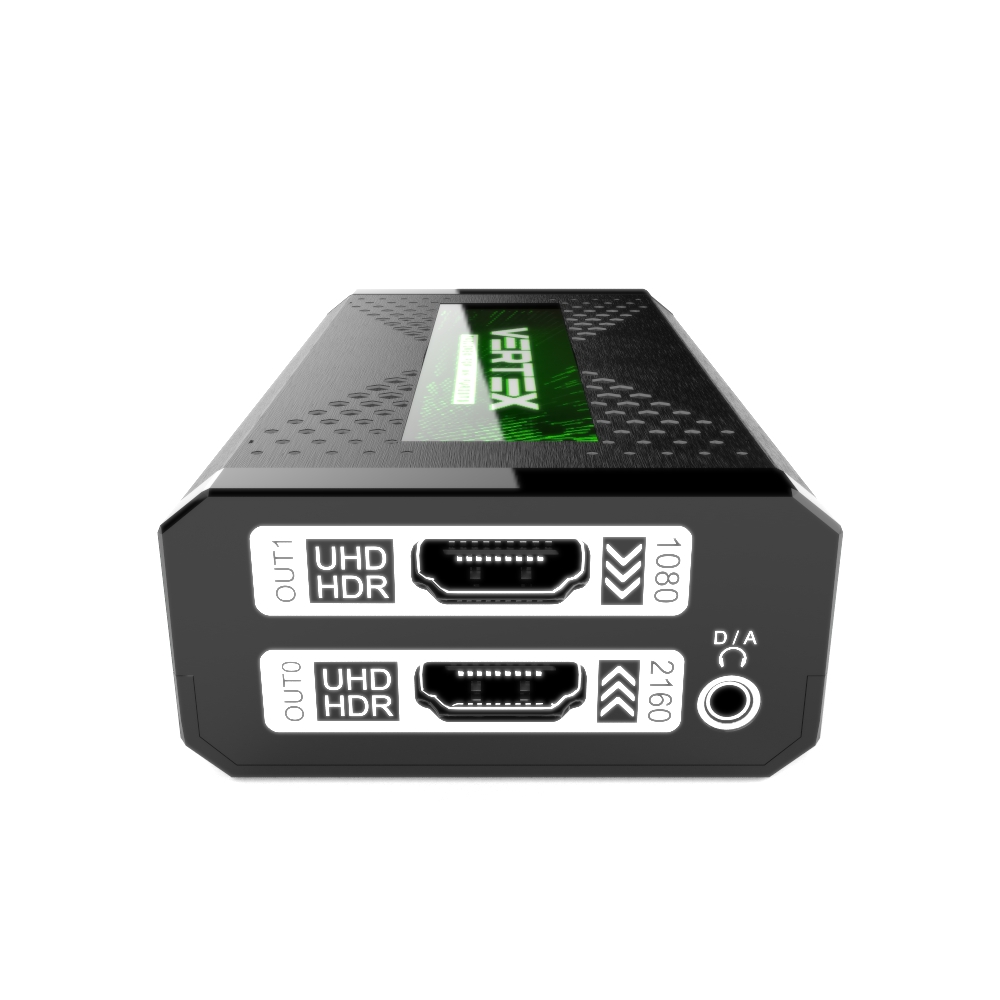
| I/O: | 2 HDMI In, 2 HDMI Out, IR, RS232, USB, Analog Jack, Optical Out. |
| Upscale port: | FHD 1080p to UHD 2160p & 4K/DCI |
| Downscale port: | UHD 2160p & 4K/DCI to FHD 1080p |
| Signal Conversion: | Resolution, Chroma Subsampling, Color Space, Color Depth, HDCP |
| HDCP Conversion: | Any HDCP to any HDCP with CST1 support |
| Operating Modes: | 18Gbps Scaler, Switcher, Splitter & Matrix with CEC, ARC and EDID management |
| Special Modes: | CEC Command, HTPC, Disable HDR, HDMI Doctor and JVC Macro. |
| EDID Modes: | 10 EDID Flags, 100 EDID Banks (10 custom) |
| Infoframe Modes: | Capture, edit, block or replace HDR metadata, AVI & VSIF. Read SPD, Audio, HDMI Vendor, HDMI Forum |
| Control Modes: | IR, Windows GUI, RS232 for Linux/MAC/Win, Android/iOS with GoBlue |
| On Screen Display: | Editable with custom text and mask. (cover TV channel logo) |
| Oled Display: | 3.12″ Diagonal, 256×64, 16 green colors |
| Dimension: | 3.9″L x 2.4″W x 0.8″H – in CM: 10 x 6 x 3 |
| Weight: | 130g – 0.3 LBS |
| Other info: | Input Lag <1ms (nanoseconds count) |
Elements

Information
All setups suitability
Vertex supports any HDMI, HDCP and HDR sources or sink and operate in-between to ensure all your equipment work at their best capabilities.
AutoSetup Wizard
Think it’s complicated? Vertex can suit any user needs with ease. Simply connect sources and sink devices in the right port and add power, Vertex does the rest.
Unlock HDCP 2.2
Get all advantages from HDCP2.2 sources and keep or convert them per channel to suit any HDMI or HDCP sink.
Info is Everywhere
Whether it is on OLED, OSD, Windows GUI or via Android/iOS APP with the optional GoBlue, your setup info is always available at first sight.
Digital Doctor
Any EDID related issues, HTPC issues or HDMI/HDCP handshake, compatibility or revision issues can be solved with Vertex.
iOS & Android APP
Control Vertex using your tablet or smartphone with the optional GoBlue Bluetooth and IR dongle.
Custom configuration
Share your config with the community, display any text on OSD, set your start page, remove visually annoying or lamp consuming artifacts like TV channel logo and more.
Upscale Port
Upscaling from FHD to UHD up to 18Gbps is available to display your 1080p sources at 2160p on your native 4K display.
Downscale Port
Connect any FHD sink in any UHD setup, play 4K HDR on main stream, and feed your AVR or older display with a 1080p stream. For HDR to SDR, see here.
18Gbps Splitter
1 input replicated to 2 outputs, each individual output can be used to upscale or downscale based on your setup needs.
600 Mcsc Matrix
Vertex can process two 4K HDR signals up to 18Gbps simultaneously and apply scaling individually per channel.
Windows GUI
Access the most advanced Windows GUI we ever created, control your Vertex unit with ease and style through hundreds of options.
Lab & Studio Toolkit
Public API/DLL access and extensive control to extract, edit and inject HDR metadata, AVI and VSIF Infoframe. Read SPD, Audio, Vendor Specific and more.




| Silabs Driver 4.0.0 for WIN11 | Version | USB2.0 | USB3.0 |
|---|---|---|---|
| [11-NOV-24] Silabs Driver 4.0.0 - ZIP - 5.35 Mo | 4.0.0 | WIN11 | WIN11 |
| Silabs Driver 4.0.0 for XP/VISTA/WIN7/WIN8/WIN10 | Version | USB2.0 | USB3.0 |
|---|---|---|---|
| [16-APR-16] Silabs Driver 4.0.0 - ZIP - 9.18 Mo | 4.0.0 | XP / VISTA / WIN7 / WIN8 / WIN10 | WIN10 |
| Silabs Driver 3.9.2 for XP/VISTA/WIN7/WIN8/WIN10 | Version | USB2.0 | USB3.0 |
|---|---|---|---|
| [16-APR-16] Silabs Driver 3.9.2 - ZIP - 1.65 Mo | 3.9.2 | XP / VISTA / WIN7 / WIN8 / WIN10 | XP / VISTA / WIN7 / WIN8 / WIN10 |

| User Manual | Version | Format | Size | Date |
|---|---|---|---|---|
| [26-APR-18] HDfury Vertex User Manual Rev.1.30 - PDF - 3.39 Mo | Rev.1.30 | 3.39 Mo | 26-APR-18 |
| EDID Collection | Format | Size | Date |
|---|---|---|---|
| [23-MAY-19] HDfury EDID Collection - ZIP - 108 Ko | ZIP | 108 Ko | 23-MAY-19 |
| API/DLL Package | Format | Size | Date |
|---|---|---|---|
| [26-FEB-18] HDfury Vertex API/DLL package - ZIP - 275 Ko | ZIP | 275 Ko | 26-FEB-18 |
| Icons viewer for creating Custom APP menu | Format | Size |
|---|---|---|
| APP Icons Viewer for Custom menu - ZIP - 644 Ko | ZIP | 644 Ko |
Only logged in customers who have purchased this product may leave a review.
Tim K
An excellent and absolutely necessary piece of hardware for the 4K HDR media consumer. The HDFury Vertex allows you to pass through content from a media source and receive either as is or split it off into different forms, scales, HDCP versions and much more, which is (unfortunately) something that is so important if you are wanting to get into 4K HDR media in a serious way. For me personally, I use it every day to allow me to take whatever content I am watching/playing etc and pass the signal to a pair of HDMI Home Theater 9.1 headphones (Sony’s MDR HW-700DS) and at the same time pass the signal to my AVR for speaker/alternate Bluetooth headphones. In this way I can ensure that the integrity of the original video signal (4K Dolby Vision from Netflix/4K HDR from PS4/4K Dolby Vision/HDR from UHD Blu Ray etc) is retained to maximise the view experiencing on my 4K TV (LG C7 65″ OLED) and also be able to have my audio experience in the mode that I want (through headphones with the option for speakers or another pair of headphones), as apartment living necessities I manage my audio footprint.
The support and assistance provided by HDFury are also second to none from any hardware manufacturer I have ever purchased from (without any exaggeration). As my original needs have stayed the same, but through several items I purchased, and with the guidance of their excellent support staff, I was guided to the best hardware solution for my needs (I originally bought an Integral, then tried the AVR Key and then decided on the Vertex). This process was fully supported at every stage ensuring I was getting the best experience from the products as possible and it didn’t end up costing me more to try and change products.
Given the outstanding performance of the product (and constant and positive improvements, firmware updates and always available online support etc) I cannot recommend this hardware enough for those wanting to solve their 4K HDR (and related HDCP) issues. Or more broadly any issues (within reason) that they are having with passing signals between devices and not being able to maintain signal integrity. HDFury is the best Home Theatre solution manufacturer around right now, and I plan to support them for as long as they deliver on this promise of quality and effectiveness.
JGrana
I had owned the Integral – which solved a number of HDMI problems with my various devices. HDFury offered a discount on the Vertex. After reviewing the specs and intrigued with the on screen display of the HDMI detail I decided to purchase the Vertex.
I couldn’t be more pleased! The ability to modify various HDMI parameters between devices, the scaling features and the detailed information displayed both on the Vertex and the TV are great. I especially like the fact I can truly check the resolution, frame rate and audio configuration being sent by the source.
In addition to all the great features, the support HDFury provides to its customers is the gold standard! They continue to add features and support the changing standards of the 4K “evolution “.
I highly recommend the company and is solid products!
overheat
Bought the vertex to fix the dim game mode on a LG C7 OLED with the injection metadata fonction and I could not be happier 10/10