Dr. HDMI Key Features
Summary
Dr HDMI™ can help to solve most HDMI issues such as handshaking issue, compatibility issue and/or any EDID related issue. It help to keep a source always ON or tricked into a defined state which is especially useful for system integrators.
Dr HDMI™ can also boost signal integrity and extend +5v signal through a HDMI/DVI-D chain. For example, it can work hands in hands with HDfury products such as Gamer Edition to extend compatibility range. It can also be used to limit the source output resolution.
Dr HDMI™ acts as an EDID manager, HDMI/DVI-D emulator and repeater that comes with pre-defined presets, user programmable banks, Sink EDID sniffing bank and more !
Highlight Features
- Solve Most HDMI™ issues !
- Fix HDMI handshaking issue
- EDID Manager and Detective feature
- Easy EDID table manipulation via USB port
- HDMI/DVI-D emulator and repeater
- Maintain 2K, 1920×1200, 1080p video without losing sync.
- Predefined Banks (FullHD 3D, FullHD, 1080i, 720p, etc..)
- User programmable EDID Banks
- Sink EDID sniffing feature
- Extand signal integrity up to 50 meters !
- Can work standalone without any PSU connected (taking power from HDMI)
- HDCP compliant
Dr. HDMI Technical Specs
 HDMI 1.4a compliance8 EDID banks (5 pre-defined, 2 user programable, 1 copy from Sink device)Reset HPD-event on the fly !Up to 50 meters cable loss compensationKeep source’s HDMI/DVI-D output activeUSB upgradable and flashable from computerUser programmable EDID BanksSink EDID sniffing featureExtand signal integrity up to 50 meters !HDMI Pin14 on/off siwtch to fix HEAC/ARC compatibility issueAny resolution including HDMI standardsVideo Bandwidth : 2.25 GbpsVideo support: Single-link 225Mhz, 2k, WUXGA, 1080p60/12bit deep color and x.v.colorAudio support: Dolby True HD & DTS Master AudioInput cable equalizationSupport extended EDID CEA861, 256 byteHDCP Pass-ThroughLip Sync Pass-ThroughCEC Protocol Pass-ThroughPower : Universal USB power adaptorCompliance: HDCP/FCC/CEWarranty : 1 year (extendable)Dimension : 60mm W x 40mm D x 20mm HNet weight : 50 grammsInput/Output connector: HDMI femaleUSB: Mini USB-B female connector
Getting Started with Dr. HDMI
Instructions and overview for Dr. HDMI
Doctor HDMI will solve most HDCP/HDMI issues by just being connected between source and display. Once connected it can be set on the fly to perform specific EDID and Hot plug event.
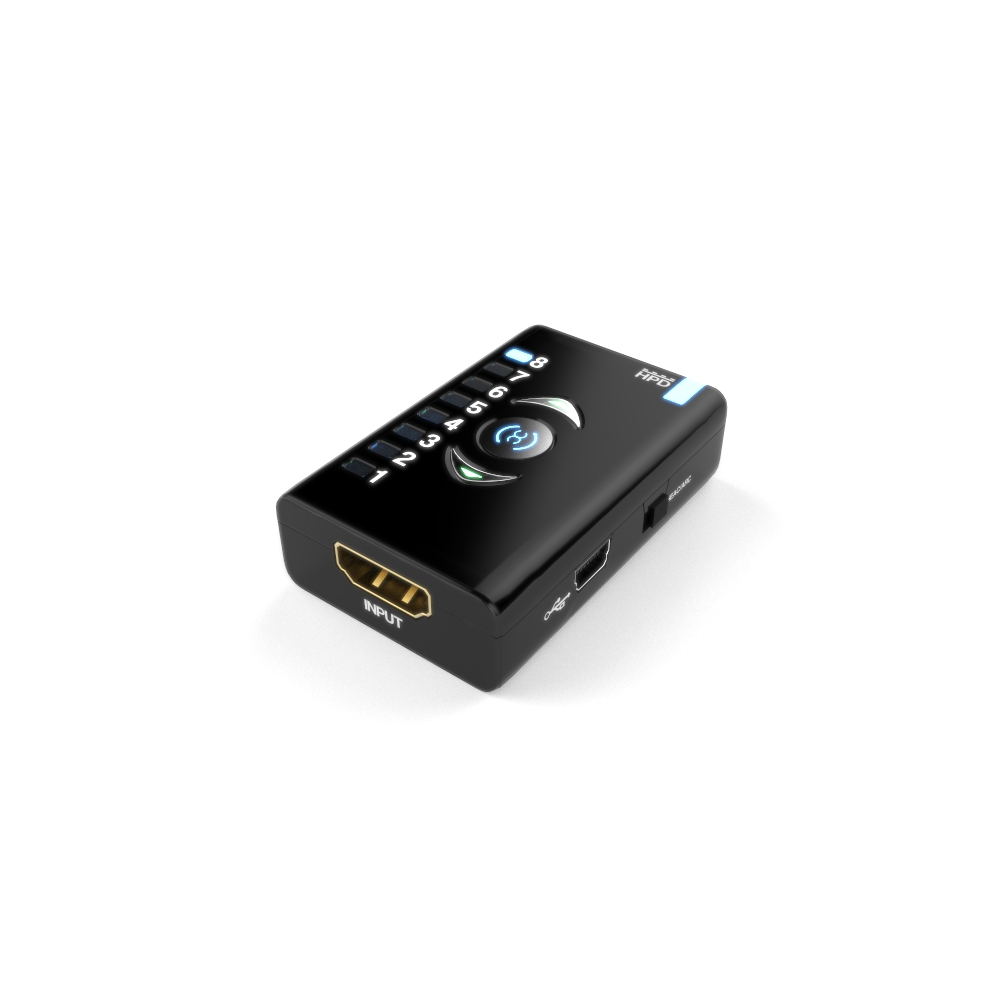
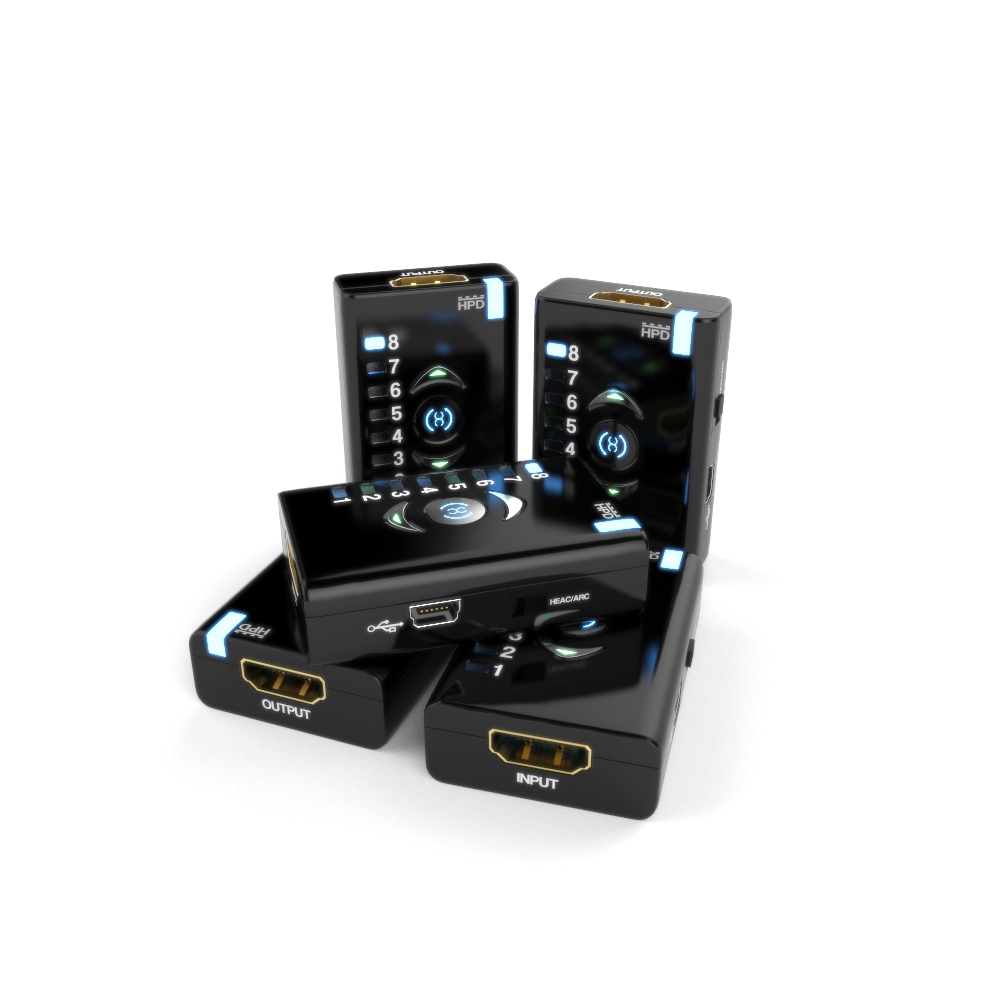
There are a total of eight EDID banks inside the unit. When you press up or down button you can quickly move between any of them to select the desired one. Once you stop for a second or so, the system actually activates the selected EDID and starts the HPD (hot-plug) event. This is the event where Dr.HDMI will inform the source device that EDID has changed so the source must reconfigure it’s own internal settings. This takes about 2 seconds as per standards. During this time you will not be able to change the EDID. After HPD event concludes you are free to change edid again if wanted.
If you press the middle button, the display’s EDID is copied and placed into the EDID bank number 8. Once it is done, HPD event is also created and completes in about 2 seconds.
EDID banks are separated as follows:
- 1-5 : are presets factory configured and cannot be changed by user. However, They can be updated with a firmware update.
- 6-7 : are user configurable by the PC software.
- 8 : is the reserved one for downloading from the display.
This device also has internal logic to support HDCP streams by sniffing all DDC packets and filtering the EDID requests but passing all HDCP handshakes.
The PC software can be used to edit any of the parameters on the fly or it can be used to load/save any customer EDID.
Power is either drawn from the HDMI connector or from the USB port if connected.
Firmware upgrades can be sent with a single .exe file automatically so no additional software is needed. Just launch the .exe.
To fix compatibility or handshake issue between source and display you can also try to move the switch on the side in one or the other position.
List of Banks
- 1. Full, unlimited, all 3D features enabled
- 2. Full, unlimited, no 3D features
- 3. 1080i limited – no 3D
- 4. 720p limited – no 3D
- 5. 480/576p limited -no 3D
- 6&7 are special cases which initially hold the same info as #1 but they can be altered with PC software to be anything
- 8. is the display EDID which can be read by pushing the middle button.
- (Once you push the middle button, the contents are read from display and stored to #8 and it is activated)
Got questions ? We have answers !
What output power Dr.HDMI can supply ?
What output power Dr.HDMI can supply ?
When used with a power supply connected to the USB, it will give as much as the power supply is capable.
When used without a power supply (powering from HDMI) it will give whatever it can take from HDMI connector. Usually 50-500mA.
How do you switch between Banks ?
There are a total of eight EDID banks inside the unit. When you press up or down button you can quickly move between any of them to select the desired one. Once you stop for a second or so, the system actually activates the selected EDID and starts the HPD (hot-plug) event. This is the event where Dr.HDMI will inform the source device that EDID has changed so the source must reconfigure it’s own internal settings. This takes about 2 seconds as per standards. During this time you will not be able to change the EDID. After HPD event concludes you are free to change edid again if wanted.
If you press the middle button, the display’s EDID is copied and placed into the EDID bank number 8. Once it is done, HPD event is also created and completes in about 2 seconds.
| Silabs Driver 4.0.0 for WIN11 | Version | USB2.0 | USB3.0 |
|---|---|---|---|
| [11-NOV-24] Silabs Driver 4.0.0 - ZIP - 5.35 Mo | 4.0.0 | WIN11 | WIN11 |
| Silabs Driver 4.0.0 for XP/VISTA/WIN7/WIN8/WIN10 | Version | USB2.0 | USB3.0 |
|---|---|---|---|
| [16-APR-16] Silabs Driver 4.0.0 - ZIP - 9.18 Mo | 4.0.0 | XP / VISTA / WIN7 / WIN8 / WIN10 | WIN10 |
| Silabs Driver 3.9.2 for XP/VISTA/WIN7/WIN8/WIN10 | Version | USB2.0 | USB3.0 |
|---|---|---|---|
| [16-APR-16] Silabs Driver 3.9.2 - ZIP - 1.65 Mo | 3.9.2 | XP / VISTA / WIN7 / WIN8 / WIN10 | XP / VISTA / WIN7 / WIN8 / WIN10 |
| Dr HDMI FW Update & EDID Utility (PC Windows Software) | Version | Format | Size | Date |
|---|---|---|---|---|
| [06-JAN-18] Dr.HDMI FW2.1 & EDID Utility 1.0 - Zip - 9.3 Mo | 2.1 | ZIP | 9.3 Mo | 06-JAN-18 |
| Dr HDMI EDID Utility (PC Windows Software) | Version | Format | Size | Date |
|---|---|---|---|---|
| [20-MAY-17] Dr.HDMI EDID Utility 1.0 - Zip - 15.3 Mo | 1.0 | ZIP | 15.3 Mo | 20-MAY-17 |
| Dr HDMI FW Update & EDID Utility (PC Windows Software) | Version | Format | Size | Date |
|---|---|---|---|---|
| [06-JAN-18] Dr.HDMI FW2.1 & EDID Utility 1.0 - Zip - 9.3 Mo | 2.1 | ZIP | 9.3 Mo | 06-JAN-18 |
Only logged in customers who have purchased this product may leave a review.
Subversive
I realize that Dr. HDMI can be used to emulate the EDID for SimulView to work with PS3 SimulView games (thanks, it works great!).
MikeMCr
Thought I’d close off this thread by saying the Dr. HDMI fixed the problem 100%, just as promised. I selected option 2 and the ATV3 now outputs 1080p/60. Then, once I had put black tape over the extra bright blue LEDs on the Dr. HDMI, everything was perfect ! Great device, thanks.
Magpie01
Dr HDMI is a wonderful small device.
Tony71
I have recieved dr.hdmi today. Works perfect , now dolby and dts with tv in the chain.
Deus02
the DR.HDMI has helped considerably in stabilizing the audio/video drop outs going to my monitor and I have a number of pieces connected in between all of this.
Felinewave
It totally worked! This is a great product ; it does the job and doesn’t heat at all and doesn’t need an extra power supply! I’m really satisfied.